


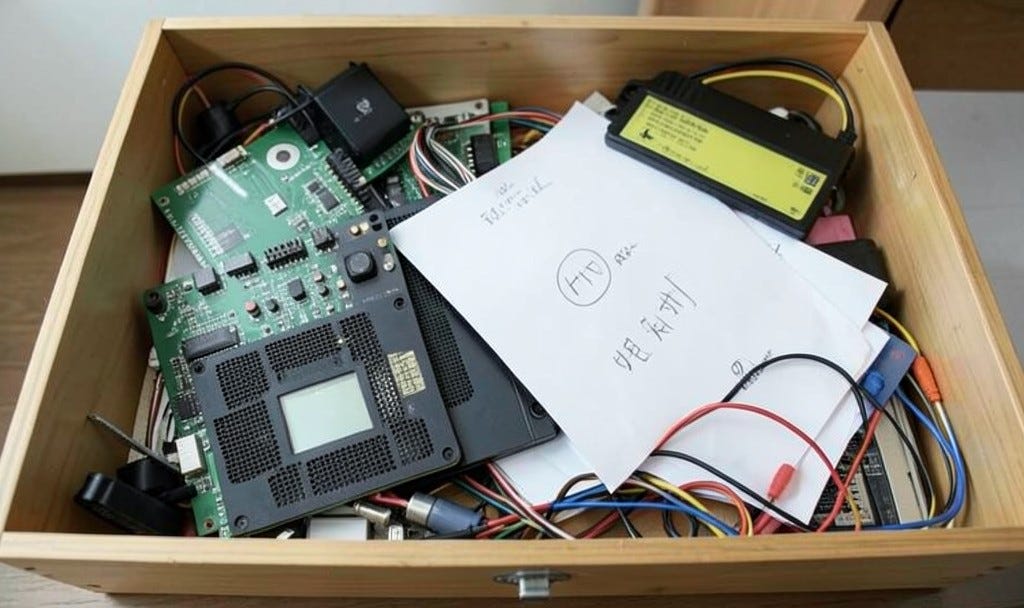
Skills are the reason I can go back and forth between Claude and ChatGPT without either one noticing they’re in timeout. Last week I told you I’d walked out on Claude and taken my second brain with me. Several of you asked what’s in there, so let’s start a little deep dive. The short answer is what’s in there is none of my business. That’s the junk drawer for my bots.
The long answer is a graphical organization of documents and data that work much like a database, but without the overhead. It’s a table of contents, an index, and a filing system all in one. And my AI executive assistant puts things there, and, more importantly, links them in a way that lets them be found by any AI session that needs it.
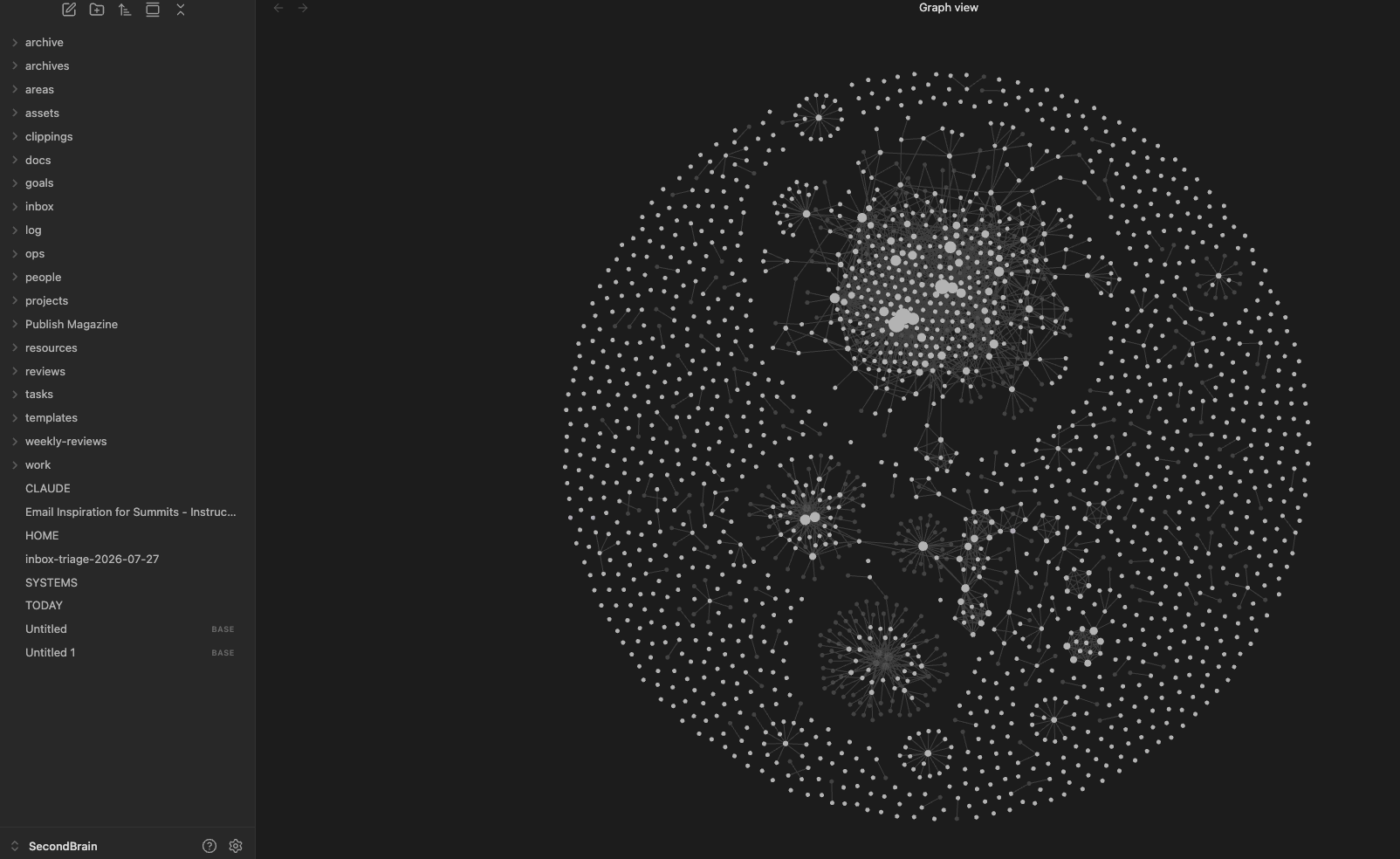
What my second brain holds is the scaffolding for everything about my life and business, with the exception of what goes into StorytellerOS which is where my manuscripts, social media, newsletters, blog posts, ads and sales data goes. Storyteller is my office. Second brain is the operating manual.
And one of the most important parts of the operating manual are Skills.
Skills are written instructions for the jobs I do every week, stored in my second brain, and used by whichever AI happens to be behaving that day. There are “official” places inside the apps that skills are stored, but what I’ve done is told Claude and ChatGPT to look in second brain for the skill they need and use it, so I only have to keep one set of skills updated in one place. Some might call this efficient. I will remind you I am fundamentally lazy, which is why I automate everything.
Memory and skills do different jobs
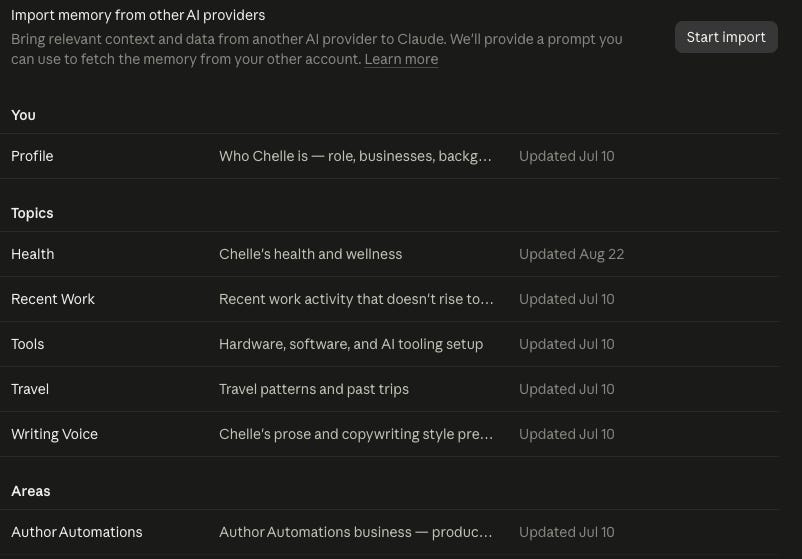
Memory is what the AI needs to know about you. Claude keeps a profile about who you are, what you do, your background, and topics like recent work, tools, voice, areas, etc.
A skill is how a particular job gets done. It says what the job is, what goes into it, what a finished result looks like, and where the AI’s authority ends and yours begins.
Both Claude and ChatGPT have memory in their settings. The idea of it is great. The application and real-world use of it is… not great. It remembers the wrong things very often, or not at all.
I store both memory and skills in second brain, and I’ve switched the settings in both Claude and ChatGPT to write anything worth remembering there instead of the internal memory. The results are superior.
Why a skill beats a good prompt
Most of us started with prompts. We moved on to optimizing prompts next, and told the AI to “act as” a role, like a marketer, or a social media guru. Previous versions of AI loved those frameworks, but modern versions ignore it. It also eats a lot of tokens.
A prompt assumes the AI remembers things it doesn’t, and it leaves out the dozen small decisions you make without noticing you’re making them. Paste the same prompt on two different days and you’ll get two different results, then spend twenty minutes repairing whichever one is worse.
A skill carries those decisions with it. It points at your voice guide and your book list so the AI reads them fresh every time. It says “two hashtags maximum on Instagram” in writing, so you never again have to scroll past the seventh one and feel your eye twitch.
Personal Skills, Project Skills, and Imported Skills
Every skill I own lives in my second brain, whatever app it started in. Skills show up from three directions, and two of them will quietly scatter your work across accounts if you let them.
Personal skills are the ones you write for yourself. You describe a job you do every week, the AI turns that into instructions, and you refine them every time it gets creative. In Claude, a personal skill applies to your whole account, which is what you want for anything you’d use more than once.
Project skills are the sneaky ones. When you’re working inside a project in Claude, the default is to create skills scoped to that project. They work beautifully there and don’t exist anywhere else. Unless you specifically ask for a personal skill, you’ve built a tool that lives in one room of the house and can’t find the door. I’ve watched people rebuild the same social post skill three times across three projects and assume the AI was just being inconsistent.
Imported skills come ready-made. The AI companies build some into their apps, and plugins arrive with their own. The Reader Radius plugin, for example, ships with skills for creating brand guides, creating social posts, building trial reels, and batching campaigns. You can see them all here: https://github.com/chellehoniker/claude-code-author-automations/tree/main/skills
You can’t move imported skills into your second brain because they’re the instructions that come with the app, but you can supplement their skills with your own to be sure that your wishes are followed.
That way, you can move between AI companies, and you can move between accounts inside the same company. I run two Max plans on Claude because I refuse to be told my afternoon is over by a token counter, and both accounts read the same skills from the same folder.
Mine live in Obsidian as plain text files, with the book and marketing details they depend on in StorytellerOS. Notion works, and so does a folder on your computer. Obsidian adds the graphing part that makes it a better choice than Notion, but in the end, what matters is that it’s yours.
How I use one: create a month of Pinterest Posts
One of my skills is to batch create Pinterest Pins. It takes me about 15 minutes each month to do this.
The skill tells it to:
Pull the blurb, series position, and buy links from StorytellerOS, where each title lives with its marketing copy and retailer links.
Read the voice guide for that pen name. Lola MacDougall and Chelle Honiker do not share a voice, and I intend to keep them from meeting.
Draft thirty posts with a different angle each: the premise, a character, a setting detail, a reader quote, the trope, a series nudge, and a direct buy post.
Create video pins and image pins
Show me everything in one page for review.
Use Reader Radius to schedule all the posts.

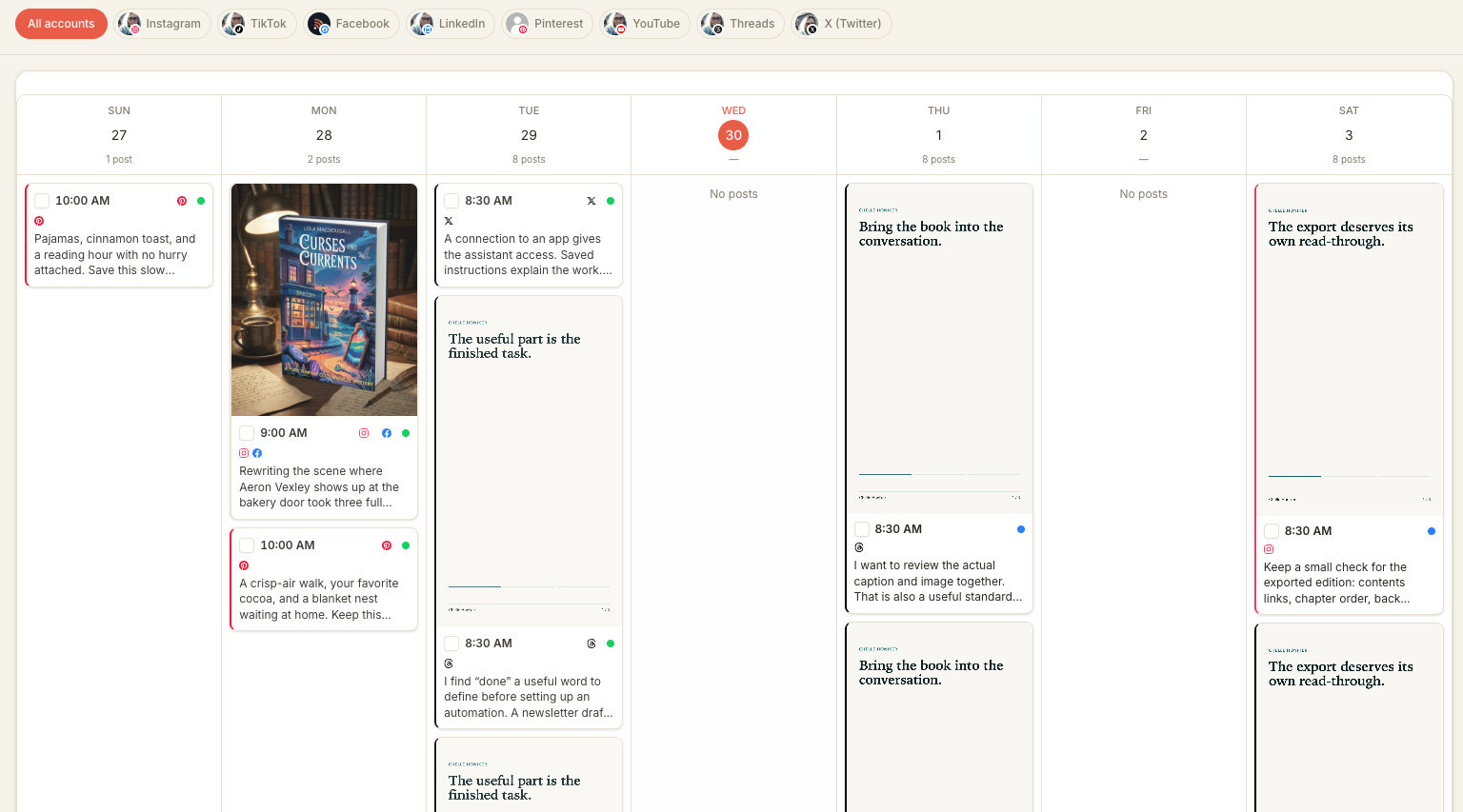
Quick reminder! Paid newsletter subscribers get Reader Radius as a free benefit each month. You should be able to request your login and get started right away. If you can’t then send an email to support@authorautomations.com and AmandaBot will sort it for you.
What goes into a good skill
“Help me with social posts” gives the AI an impressive amount of room to embarrass you. A useful skill answers the questions a smart new hire would ask on day one:
The job. One sentence on what this skill produces.
The audience. Who reads the result, and which pen name or brand it belongs to.
The inputs. Where the source material lives: your book list, your voice guide, last month’s best-performing posts.
The format. Length, structure, platform rules, and everything you always or never do.
An example. One result you were happy with, so the AI can see the target instead of guessing at it.
The handoff. Where the draft goes and what needs your eyes before it goes anywhere.
You don’t need all of that on the first pass. Write what you know, run it, and add whatever the AI gets wrong. One bad draft teaches you more than an afternoon spent imagining every way it could go sideways, and the AI will find ways you didn’t imagine anyway.
Plan on some upkeep
Skills need maintenance. A new model reads an instruction differently than the last one did, a platform changes its character limits, and a job you did one way in March turns out to need a step you didn’t know about in October.
When the AI keeps making the same mistake, fix the skill. Fixing the draft by hand every week is how you end up doing the job yourself while also paying for an assistant.
Your homework
Pick the social media job you’re most tired of doing, or most tired of correcting.
Start from a ready-made skill, like the Reader Radius social post skill, or ask your AI to draft one based on how you’d explain the job to a new assistant.
Save a copy in your second brain and point your AI at that copy.
Read the instructions and fix anything that doesn’t sound like you.
Add one example post you’ve written and liked.
Run it on three different books, and add each correction to the skill.
By the third run you’ll know whether you’ve built something useful, and your AI will have stopped trying to work “discovering the truth” into a post about a bakery.
Bring it to class
Every Wednesday at Noon Central, I go live and break down some social ideas and skills - it’s free and you’re welcome to see it in action!
Register here: https://us02web.zoom.us/meeting/register/BdYI5JwxRx6MHIR9hn13YA
I’m also teaching a three-hour second-brain session at Author Nation, where skills are a big piece of the build. Register here: https://www.authornation.live/Addedworkshops
Chelle
P.S. Next week is voice guides - creating your own social media, brand guide, copywriting guide and style guide so your assistants sound like you!